

Connecting a website to a CRM means every enquiry from a form is saved in the CRM as a contact and a deal on its own, gets a responsible person and a deadline for the next reply. Nobody retypes it from an email and nobody forgets it. Below you will find three ways to connect, an overview of CRMs common in Czechia, recommended enquiry stages, rules against duplicates and what to do when the CRM is not responding.
An illustrative scenario: on Monday an enquiry arrives from the website. Two people read the email and each expects the other to reply. On Friday the customer orders elsewhere. The website and the form worked; what was missing was responsibility after submission.
A CRM connection should solve exactly that moment. Transferring a name and an email is only the start. This guide covers the handover of enquiries from the website; choosing a whole CRM platform is a separate decision.
First write down what should happen with one specific enquiry, and only then pick a connector. A simple website can use a form embedded directly from the CRM, several follow-up steps suit an automation in Make or Zapier, and special rules or higher volume call for a custom API connection. In every case, verify that a contact is found or created, the request is stored as its own record, a salesperson is assigned, a notification goes out and errors can be traced. A form submitted twice must not create two identical opportunities.
Start with the next working day
Imagine the person who opens the CRM in the morning. They need to see who got in touch, what they want and by when they should respond. If they have to dig the brief out of three emails, the integration has not made their work easier.
For a typical enquiry form I recommend storing:
| Field | Who fills it in | What it is for |
|---|---|---|
| Name, email, phone | Visitor | Contact and matching with an existing record |
| Company and company ID | Visitor, optional | Matching companies, lookup in the business register |
| Enquiry type (website, e-shop, support) | Visitor, by selection | Routing to the right person |
| Message | Visitor | The brief, which must never be overwritten |
| Page and time of submission | System | Where and when the enquiry came from |
| Campaign source | System, according to cookie settings | Marketing measurement |
| Owner, status, reply deadline | CRM | Responsibility for the next step |
| Marketing consent | Visitor, separate field | Only if you want to send marketing emails |
You don't have to ask the visitor for everything. Status, internal ID or team assignment are filled in by the system. Each extra field lowers the willingness to finish the form, so ask only for what the salesperson actually works with. A missing campaign source must never block the enquiry.
Three ways to connect
| Method | How it works | Suits you when | Watch out for |
|---|---|---|---|
Form straight from the CRM |
You embed a form built in the CRM |
You have a simple website and one enquiry type |
Design, validation and tracking are limited by the CRM |
Automation (Make, Zapier) |
The form sends data to a scenario that creates the contact, deal and notification |
You need several follow-up steps and a fast start |
Who owns the account, operation limits, where you see errors |
Custom API connection |
The website server calls the CRM API and logs the result |
You have special rules, several systems or higher volume |
Maintenance when the API changes, monitoring, documentation |
A CRM form is the quickest start. Before going live, test it on a phone and check that you can track it as a conversion in GA4 or Google Ads.
An automation tool connects the form, the CRM, email and a spreadsheet without code. It is worth knowing how it handles errors: for example, Make retries temporary errors (rate limit, connection error, timeout) at intervals from 1 minute to 3 hours if storing incomplete executions is enabled. A permanent error, such as a wrongly mapped field, does not fix itself, and someone has to see it.
A custom connection makes sense for special rules, more complex data or operational demands. It also brings maintenance responsibility: when the CRM changes its API, someone must update the connection.
Compare the same scope: transfer, monitoring, retrying failed attempts and support. The price of building the connection says nothing about the cost of running it. I discuss a similar trade-off for web application development.
Which CRMs are used in Czechia and how to connect them
| CRM | Website connection | What the documentation says |
|---|---|---|
| Raynet | REST API | An administrator creates the API key in the application settings (For developers, API keys); authentication needs the instance name, user and key; a lead can be created directly via the API (Raynet API) |
| Anabix | Web forms | Checks the email on submission, so no duplicate contacts are created; the GDPR legal basis and consent date are set on the contact (Anabix guide) |
| Pipedrive | API and webhooks | On an error or after 10 s without a response, a webhook is retried 3 more times (after 3, 30 and 150 s); after 3 days without a successful delivery Pipedrive deletes it (webhook guide) |
| HubSpot | HubSpot forms and API | Matches contacts by email; a submission with a secondary email can overwrite the contact's primary address (HubSpot deduplication) |
For other systems (eWay-CRM, Bitrix24, Salesforce, Microsoft Dynamics) ask the same three questions: how it accepts data from a website, how it matches duplicates and where you will see a failed transfer. The answer is in the API documentation, not in a list of "supported integrations".
Watch the webhooks going the other way too. When the CRM sends changes back to the website or another system and the target address is down for a longer period, messages can be lost. Monitor that path as well, not only the form.
Enquiry stages: from new to won
An integration only pays off when the enquiry keeps moving inside the CRM. I recommend a simple sequence of stages that any CRM can handle:
| Stage | What it means | Next step |
|---|---|---|
| New | The enquiry arrived, nobody has seen it yet | The CRM assigns it by type and sends a notification |
| Assigned | It has an owner and a first-reply deadline | The owner contacts the customer |
| Contacted | The first call or email has happened | Clarify the brief and budget |
| Qualified / Unsuitable | The job makes sense, or it does not | A quote, or a polite decline with a reason |
| Quote sent | The customer has a quote | A date to follow up |
| Won / Lost | The deal is closed | For lost deals, record the reason |
Set your own first-reply deadline, for example within one working day, and let the CRM alert you when it passes. After a few months, the loss reasons will show whether your problem is price, speed or where the enquiries come from.
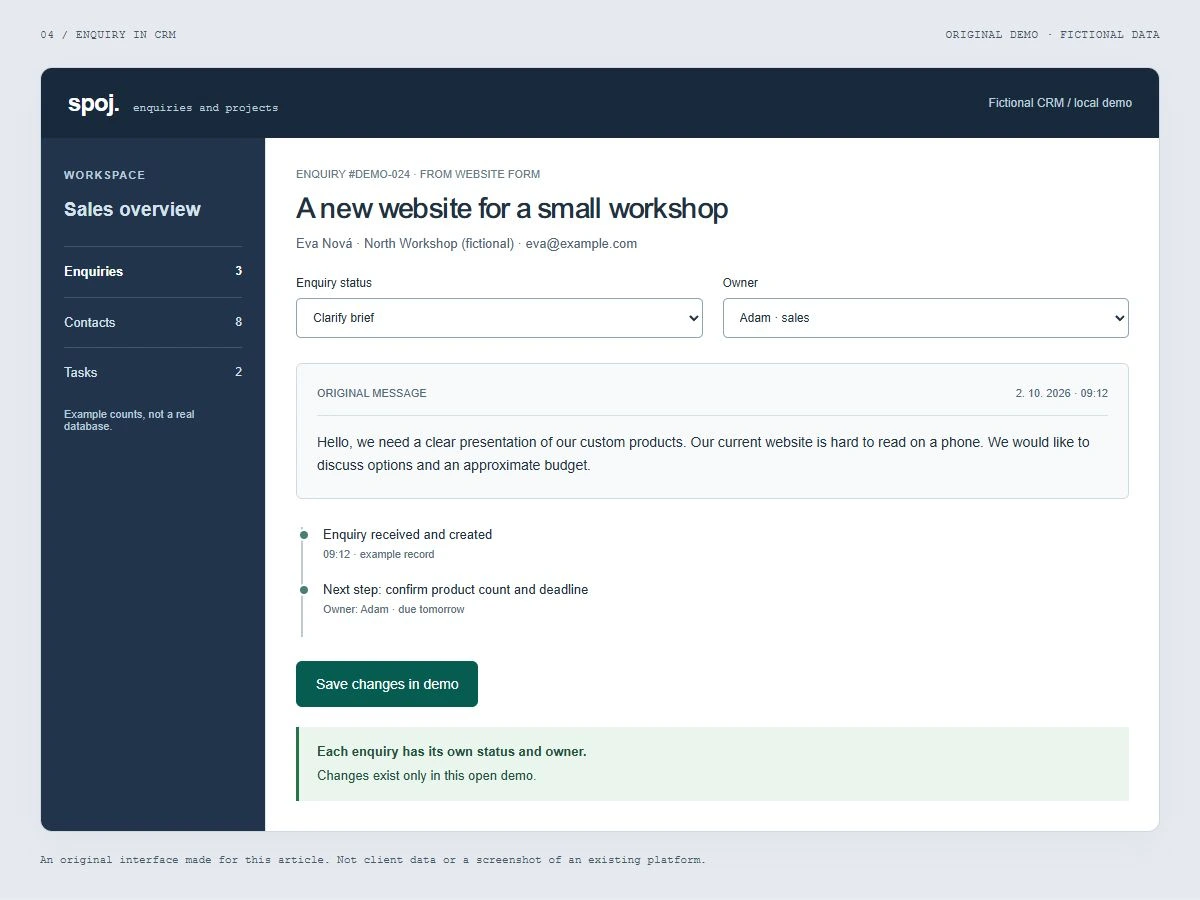
One contact can have several different requests
An illustrative example: in March Jana asks about a new website and in October about e-shop maintenance. It is the same contact but two different sales situations. Merging the requests into one overwritten note means losing the history.
So distinguish the contact, the company and the specific deal, and set matching rules separately:
- Contacts are matched by email. Phone numbers are written in many formats and are not suitable as the only key.
- Companies are matched by company ID if the form collects it. People spell company names differently.
- A repeated submission is recognised by a unique ID the form generates on submit. When the same ID arrives a second time (the customer clicked twice, the automation retried), no new deal is created.
The rule "same email = same contact" therefore does not replace the rule for duplicate submissions. Put two separate tests into the brief: repeated delivery of the same submission and a new request from the same person. The first must keep a single record, the second must create a new deal under the existing contact.
The website confirmation must match reality
What does the visitor see when the CRM is not responding? A safe design first stores the enquiry reliably in its own queue on the server and only then delivers it to the CRM. The confirmation on the website then means the request was received, and it stays true even during a CRM outage.
If the data was not saved anywhere, the form must not show success. It should keep the entered content, explain the problem and offer another attempt or a different contact. The error alert also belongs to a responsible person in the company, not only to a technical log nobody reads.
Spam, GDPR and access keys
- Spam: without protection, bots fill the CRM with fake contacts and salespeople stop trusting notifications. Use a hidden field against bots and an unobtrusive check such as Cloudflare Turnstile or reCAPTCHA. Retyping characters from an image mostly annoys real customers.
- Legal basis: replying to an enquiry is processing necessary to take steps at the customer's request prior to entering into a contract (Art. 6(1)(b) GDPR). You don't need a consent checkbox for it; information about the processing with a link to your privacy policy is enough.
- Marketing: if you want to add the contact to a newsletter, that is a different purpose. Give it a separate, unticked field and store in the CRM when and how consent was given.
- Keys: CRM access keys belong on the server, never in code loaded in the browser. Limit the integration to the operations it needs and don't send copies of messages to other services "just in case". Every extra place holding personal data is one more you have to manage.
Five tests before launch
- A new person submits a valid enquiry. In the CRM you find the contact, the brief and the owner.
- The same submission arrives again. No second identical opportunity is created.
- An existing contact sends a different enquiry. The new brief does not overwrite the old one.
- The CRM is temporarily unavailable. The request stays traceable and the responsible person is informed.
- An empty optional field does not block submission. An invalid required email shows a clear error and the other data stays filled in.
Record the result with the time and a test ID. Check the final record in the CRM, not only the green message on the website. Use the same logic when handing over a finished website.
How much a connection costs
The price has three parts: the CRM licence, the tool that transfers data, and the work on setup and testing.
| Option | One-off | Ongoing |
|---|---|---|
| CRM form | Embedding, design adjustments, conversion tracking | Included in the CRM licence |
| Make or Zapier | Scenario design, field mapping, error tests | Monthly tool plan by number of operations |
| Custom API connection | Development, queue, monitoring, documentation | Maintenance when the CRM or website changes |
I bill smaller connections of an existing form at my hourly rate of €40/h according to actual scope. Connecting to a CRM, ERP and other systems via API is part of the Corporate website package from €2,400. If the integration is the core of the whole job (a custom sales process, client zone, several systems), it falls under web application development from €3,200 for an MVP.
The work doesn't end with the connection
Agree who regularly checks undelivered requests and who takes over the integration if you change supplier. Check access recovery, limits and how to switch the automation off. These are operational parts of the result, not optional extras.
Once the handover works reliably, you can track which enquiries turn into jobs. The follow-up article shows how to measure enquiry quality. If you need a form connected to your own sales process, I'm happy to design it with you as part of web application development.
Frequently asked questions
Do I have to change my CRM to connect it to the website?
Usually not. Raynet, Pipedrive, HubSpot and other common CRMs have an API and can be connected to a form either directly or via Make or Zapier. Changing the CRM makes sense only when it lacks the basics you need: assigning a salesperson, enquiry stages or duplicate matching.
Is Make, Zapier or a custom API connection better?
For one form and a few steps, an automation tool is usually enough; it is quick and cheap to launch. A custom API connection pays off for special rules, larger volume, several connected systems, or when you don't want a plan priced by number of operations. Decide based on who will monitor and fix errors.
Do I need consent to process personal data on an enquiry form?
Not to handle the enquiry. Replying to a question is processing necessary for steps prior to a contract at the customer's request under Art. 6(1)(b) GDPR. It is enough to inform about the processing and link to your privacy policy. You need separate consent for marketing, such as sending a newsletter.
What happens to an enquiry when the CRM or automation is down?
With a good design, nothing bad. The website first saves the enquiry to its own queue and delivers it to the CRM once the CRM responds again; meanwhile the responsible person gets an alert. With a poor design, the enquiry disappears and the visitor still sees "Thank you, we'll be in touch".
How do I prevent duplicate contacts in the CRM?
Match contacts by email, companies by company ID, and give every form submission a unique ID. A double click or a repeated automation attempt then does not create a second deal, while a new request from the same person is saved as a new deal under the existing contact.
How much does connecting a website to a CRM cost?
I bill smaller connections of an existing form at €40/h according to scope. A website with CRM and other system integrations via API is covered by the Corporate package from €2,400; an integration as a standalone application starts at €3,200. Add the CRM licence and any Make or Zapier plan.