

Always compare the output of an AI photo edit with the original: outline, material, colour, markings and proportions. Check a phone for colour fidelity and consistency, and a photographer for the specific deliverables, retouching and licence. A polished image is not evidence of fidelity. For AI imagery in Merchant Center, preserve the required metadata. I handle image deployment (formats, sizes, fast loading) when building a custom e-shop from €3,200.
Why Photos Matter
Customers can't pick up a product in an e-shop. Images complement specifications, descriptions and delivery information. That's why product photo quality is among the things that influence a purchase decision the most. What else a product page needs besides photos is summarised in what a product page needs.
An unclear image can hinder a decision but cannot alone explain shop conversion.
But "quality photos" doesn't have to mean "expensive photos." Let's review three approaches and figure out what works for each budget.
Option 1: Phone Photography (DIY)
Modern phones take surprisingly good photos. Current mid-range and flagship phones can produce product photos that look professional on a website, if you know how.
What You Need
- Phone with a good camera, check detail, colour and focus on the actual product
- White background, a sheet of paper or a suitably sized photography backdrop
- Light, diffused daylight or continuous artificial light; repeatability matters
- Phone tripod, for a stable, repeatable view
When It's Enough
Starting e-shop with dozens of products, simple products (clothing, accessories, books), limited budget.
Option 2: Professional Photographer
A photographer can provide lighting, consistency and retouching to a defined brief. Payback is not guaranteed; compare the quote with the catalogue requirements.
Quoting photography
Specify image count, material, styling, retouching, usage licence and delivery date. The number of processed products and outputs must be agreed in the photographer's quote. I don't offer photo shoots myself; for products that sell best in motion, I can help with a 3D product video. A useful deliverable includes consistent lighting, relevant views, colour correction and exports for the intended channels.

Option 3: AI Generation
AI tools can be tested for background removal, scene creation and retouching.
How an AI photo edit works
- Source image a sharp, colour-faithful image of the actual product
- Background AI removes it
- Scene AI creates a scene
- Check compare with the original: outline, material, colour, markings, proportions
A polished image is not evidence of fidelity, so compare each result against the original before you use it.
AI editing cost
Price depends on the selected tool, plan, resolution and retries. Include selection, review and manual correction. Without a chosen provider there is no evidenced universal per-photo price here.
AI Limitations
- Doesn't work well on complex products (transparent materials, reflections)
- Sometimes generates unrealistic shadows or proportions
- You need at least a basic input photo
- Food and other products can acquire invented properties or altered appearance
Combine approaches according to purpose
One possible split by purpose:
Which approach fits which purpose
- Main product photos professional photographer, invest in quality
- Variants and details real material depicting that variant; AI background edits only after fidelity checks
- Social media and updates phone, for speed and freshness
A short product video can also help the product page, customers want to see the product in action, not just in a static photo.
Technical preparation
Technical requirements for photos
- Resolution from the template, zoom and sales-channel requirements, not one universal number
- Export suitably compressed web images; keep original masters
- Consistency the same lighting and framing across the catalogue
- Alt text convey the image's useful meaning; decorative images have empty alt text
DIY also costs preparation, shooting and editing time, and reflections or transparent surfaces require particular care.
Summary
| Approach | What to check |
|---|---|
| Phone | Colour fidelity, lighting and your time |
| Photographer | Defined outputs, retouching and licence |
| AI editing | Product fidelity and rights to inputs/outputs |
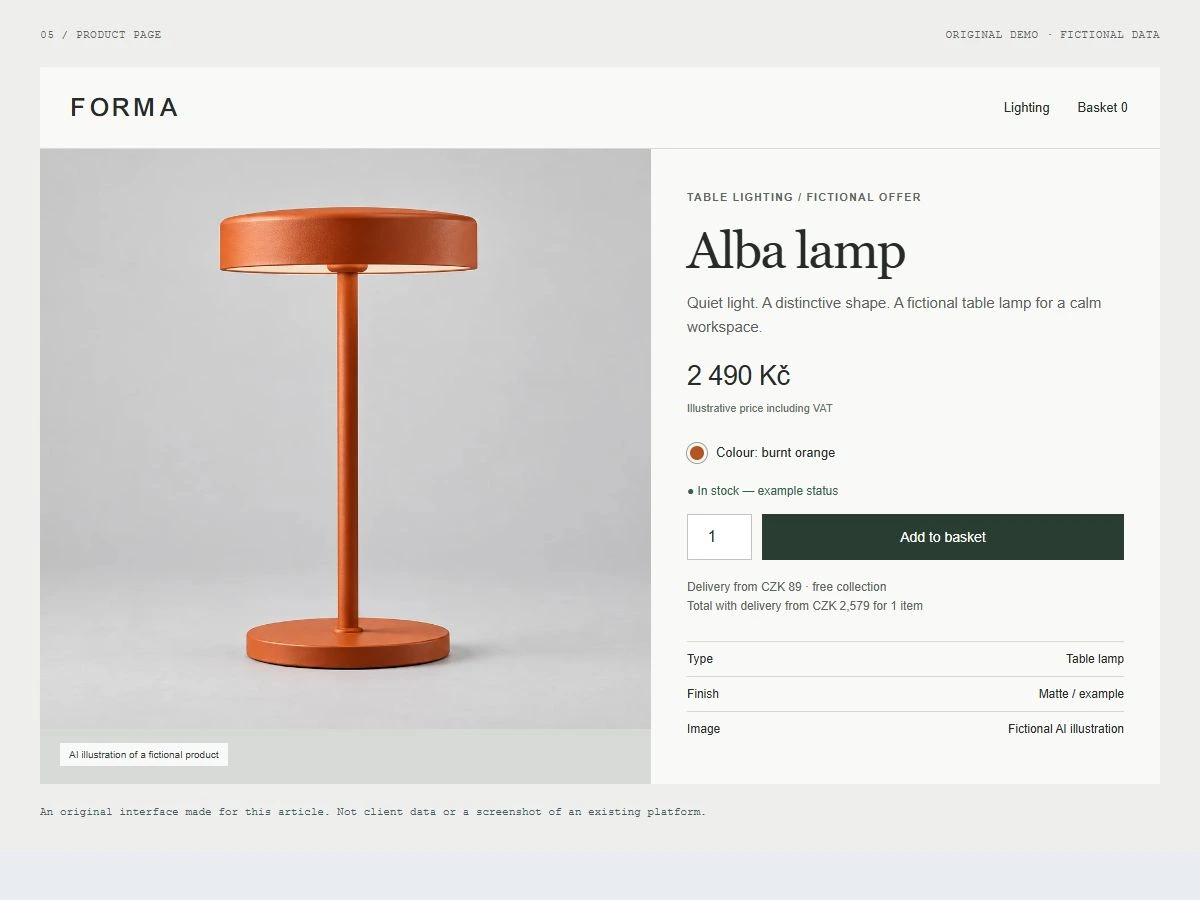
The AI lamp in the example is fictional, not a photograph of an actual SKU. When using AI imagery in Merchant Center, preserve required metadata and follow its product image rules.
If you're dealing with product photos for your e-shop and don't know where to go, get in touch. I can help with setting up Shoptet or Shopify e-shops, including correct integration of the images: formats, sizes and fast loading.