
Earlier articles about AI websites mostly describe the risks: an interchangeable look, a builder website that brings no enquiries, or what to check when you build a website yourself with AI. This article shows the other side. On four of my own projects I describe what the AI did and what I decided. The claims come from the project repositories and from the live websites, which I checked on 29 October 2026.
A website built with AI can be good when AI serves as a tool and behind the result stands a person who knows the field and the customer. On my projects the AI prepared most of the code changes. Who the website is for, what may be claimed on it, which draft is thrown away and when it is done, I decided. The tool used does not by itself guarantee quality or rule it out.
Five decisions that AI does not take over
What stays with the human
- Brief who the website is for, what the visitor should do and what must not be claimed
- Selection which draft continues and which is thrown away
- Judgement what is a verified fact, what is a prototype and what must not be shown yet
- Review the live website on mobile and desktop, forms, facts and numbers
- Fine-tuning details that a visitor notices even when they cannot name them
In my process AI does a large part of the work. It writes and edits code, proposes variants, looks for bugs, prepares texts from source material and runs tests. But it does not know what is true for a particular company or what matters to its customer. Someone has to give it that and verify it in the result. How I use AI in general is described in AI and Web Development in 2026.
The following four projects show how that division of labour worked in practice. Commit counts are from the repository history as of 29 October 2026; a commit with a Claude signature means the change was prepared by the AI agent Claude Code and I assigned it and accepted it.
i-EDUKO: digital content for textbooks
For the publisher EDUKO I designed and built i-EDUKO. A student scans a QR code in a printed textbook and a 3D model, an animation, a video or an interactive exercise opens in the browser, with no installation and no account.
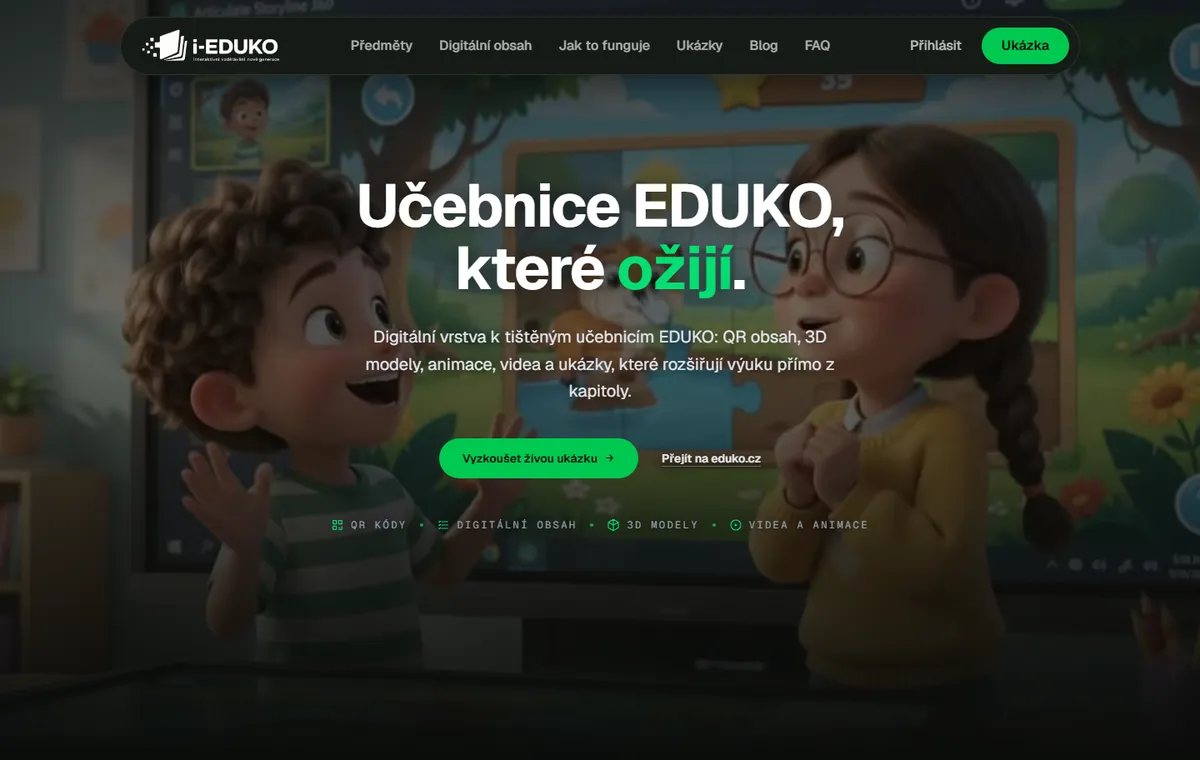

i-EDUKO: what the AI did and what I decided
- What the AI did
- prepared most of the code changes: of 199 commits, 161 carry a Claude signature
- of 30 comments from an expert review of one chapter it fixed 27 and left the remaining three for my decision
- traced why students' images did not load after their login expired and prepared a fix
- uploads a new exercise as non-public, together with the procedure for reverting the change
- What I decided
- I sent the homepage back in several rounds, because in my view it looked too much like AI; the calmer version without scroll effects stayed
- I set the rule that no fact may come from the model's memory; unverified content waits for review
- I removed exercises from the review that should not have been there
- the AI did not decide a conflict between the brief and the delivered artwork; it passed it to me and the client
- database changes and deleting data happen only after my approval
Details of both applications for EDUKO are in the case study.
Semperia: my own product from design to operation
Semperia is my own product, a digital vault for messages to loved ones. Videos, voice messages, texts and documents belong to specific people. The key is a printed QR card and the owner approves every opening.
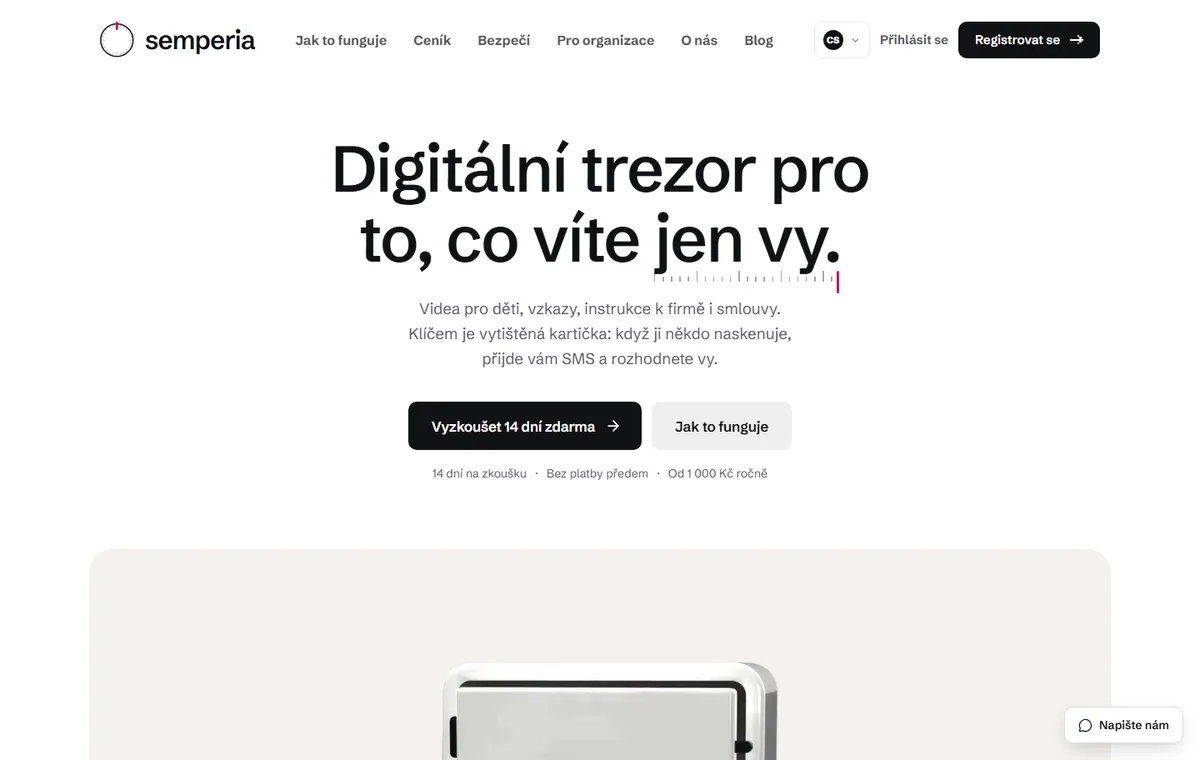
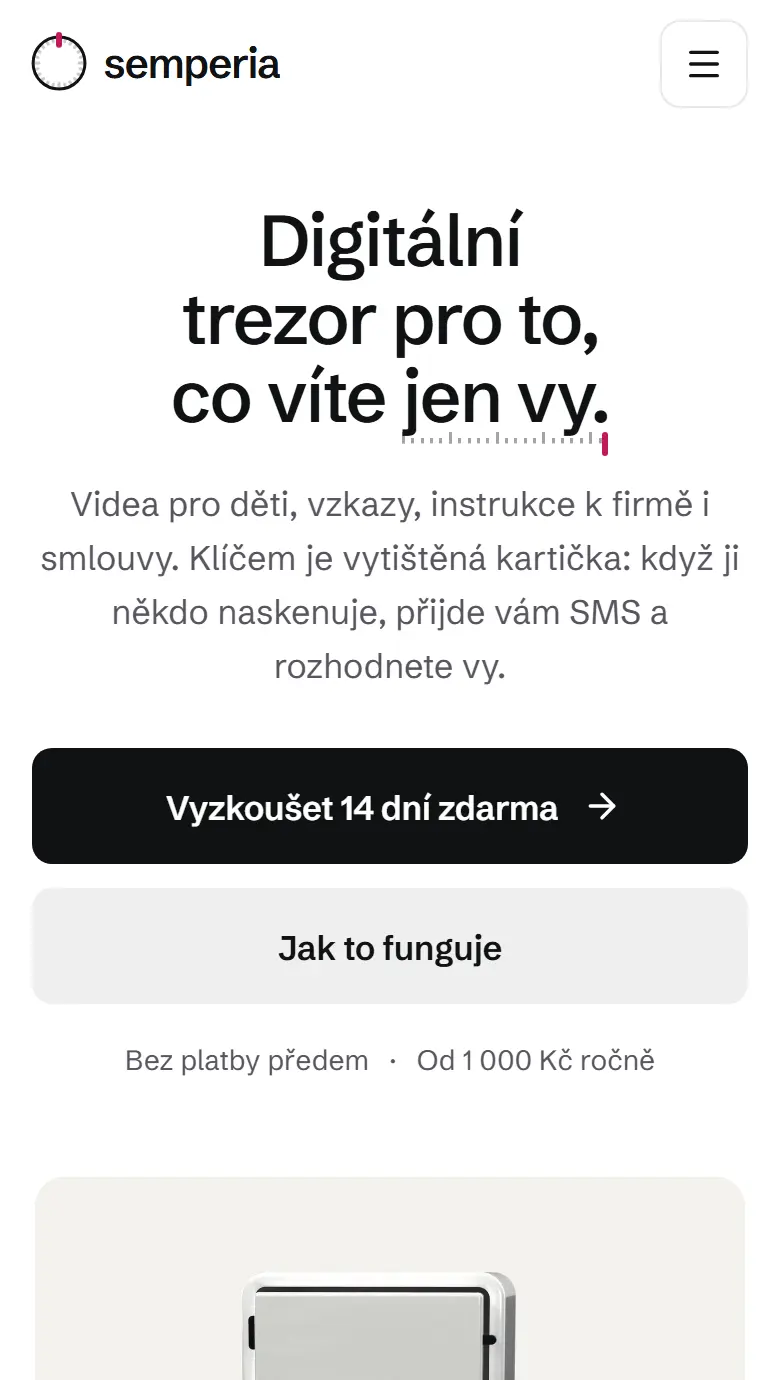
Semperia: what the AI did and what I decided
- What the AI did
- of 202 commits on the main branch, 162 carry a Claude signature
- the vault overview was written by Codex; Claude took it over only after a review and three rounds of checks, which found errors in the data access rules
- a text review rewrote 26 phrasings that promised more than the application actually does
- for the tests it introduced a check that deliberately breaks a safeguard in the code and verifies that the tests notice
- What I decided
- not even the best of the AI concepts of the look was in my view a finished design; I assigned a completely new one
- I set the visual language from the printed card and ruled out the usual symbols of security: a lock, a shield and a keyhole
- when I tried the application myself, I moved the six-digit code among the optional safeguards
- I set that a successful build or a partial test is not proof that the whole user path works
SachaSport: an e-shop that stayed on Shoptet
SachaSport is a sports e-shop and shop in Ostrava. The e-shop stayed on Shoptet because the commercial base suited it. I rebuilt the homepage from a product grid into a signpost: the visitor first chooses a sport, then continues to the products. The look is handled by my own layer of styles and scripts over the template, and the content stays in the Shoptet administration.
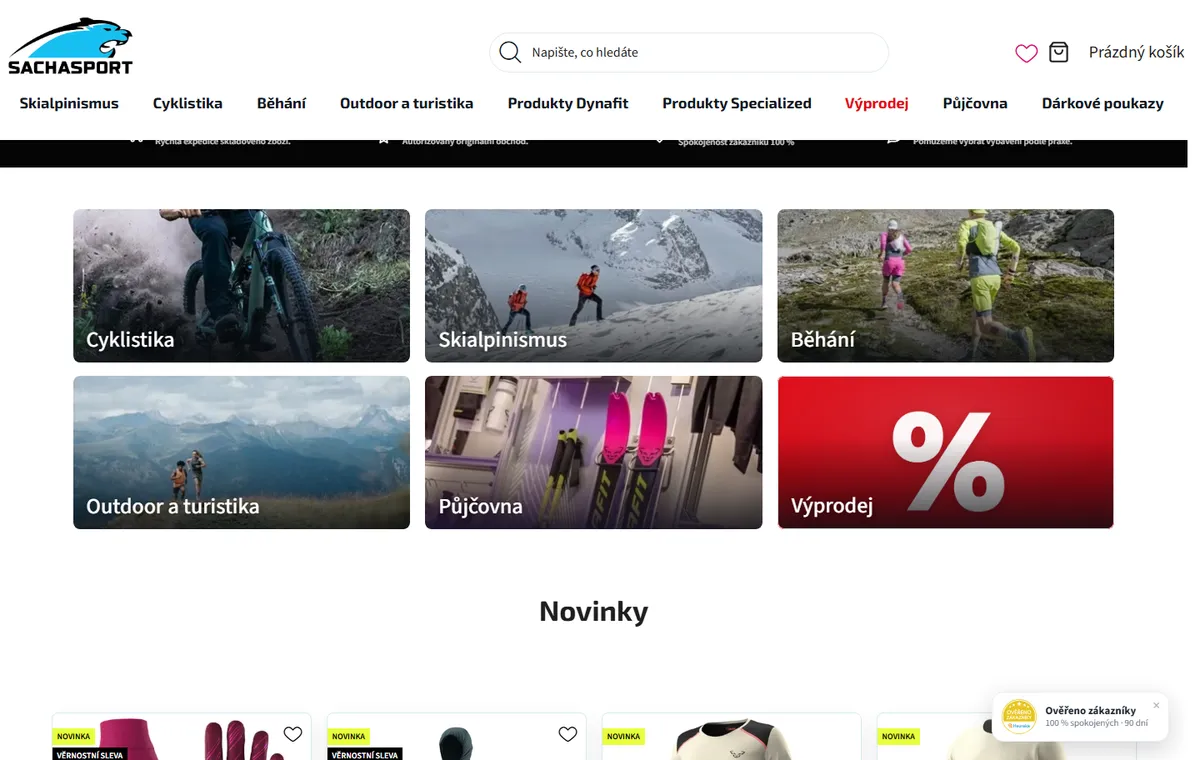
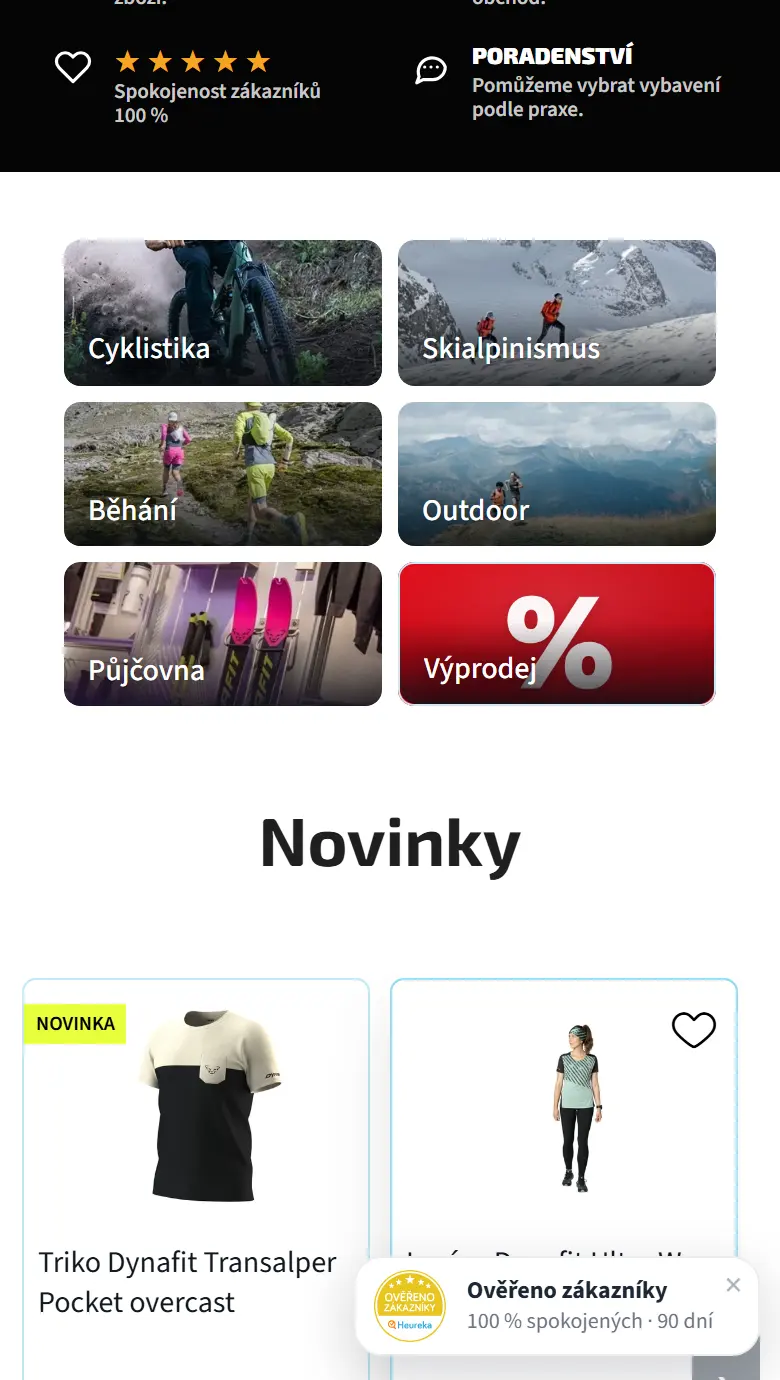
SachaSport: what the AI did and what I decided
- What the AI did
- writes and maintains the custom layer of styles and scripts; every delivery is a new version of the file
- fixed the size filters with the In stock option; the cause was that the new goods had the size in a different parameter
- found a bug in its own generator, which for ten products took over the code of another product
- did not use on the website a claim for which it found no evidence and left it for my confirmation
- What I decided
- the shop stayed on Shoptet and what changed was the customer journey, not the platform
- I rejected the generated tile variants and supply the image myself
- every style change is checked in the live page on desktop and mobile before it is uploaded and measured before and after
- I upload the files to Shoptet and I approve the look
The scope of the redesign and ongoing management is described in the SachaSport case study.
Vacation Tours: a company website with its own editorial system
Vacation Tours offers private trips around Morocco. The website is in German and English, and the client manages the content in the Sanity editorial system.
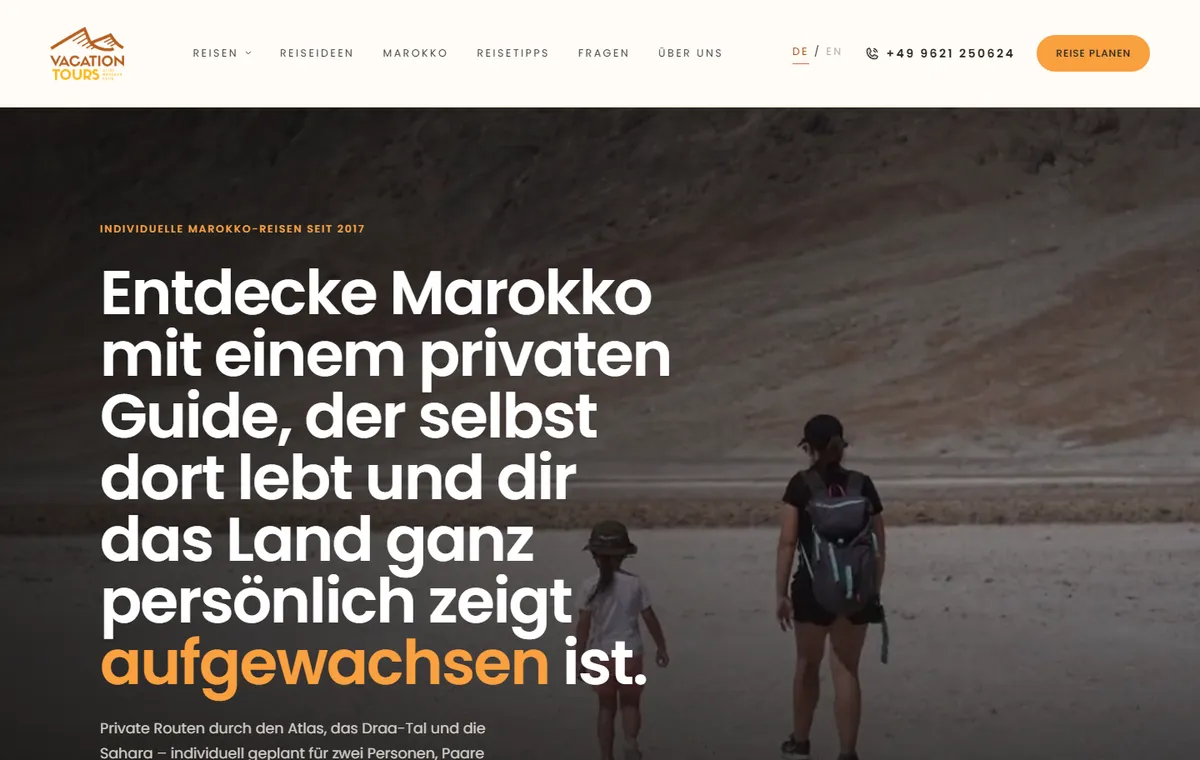

Vacation Tours: what the AI did and what I decided
- What the AI did
- all 72 commits in the repository carry a Claude signature: the website, the editorial system and the handover of content management to the client
- in the privacy text it corrected claims that did not match reality, for example about the location of servers
- it names and fixes its own mistakes in the history; the website would now rather fail to build than show old prices
- What I decided
- I rejected styles until a direction emerged that fits the company; instead of a static concept I wanted a finished solution in Next.js
- generated illustrations are allowed, but no stranger's face may appear as a guest; the gallery is from the owner's own photos
- reviews are without a Google widget and without stars, only with a link to the source, so that the website does not load third-party scripts
The whole project is in the Vacation Tours case study.
What the projects have in common
In all four projects AI saved time on code, checks and bug hunting. In none of them, though, did it decide what is claimed on the website, what it looks like and when it is done. Three patterns repeat:
- Rejected drafts. In every project I threw away the first versions of the look or the images, even when they were technically fine.
- Rules for truth. AI must not add a fact, a reference or a claim without evidence; it hands anything unclear to a human.
- Checking on the live website. It is done only after verification on desktop and mobile, not after a successful build.
How to tell that an experienced person leads an AI website
A finished website does not reveal how much work the AI did on it. You can, however, recognise a supplier by the answers to five questions:
- Do they show live projects and say what they did in them? A link to a working website is stronger evidence than a set of drafts.
- Who decides about the content? A good answer is that the content comes from your materials and the supplier does not add a reference, a number or a service that you do not have.
- How do they check the result? Look for concrete steps: mobile and desktop, a submitted test form, a check of the texts against the source material.
- What happens when the AI proposes something untrue? The answer should describe who catches it and when.
- Who owns the domain, the code and the accounts? On my projects the client owns the domain and receives the access; the scope of the handover is in the website handover checklist.
Similar questions also fit choosing a web agency. Using AI is not a reason to rule a supplier out or to recommend one. How I teach the AI, check it and hand work over is described in the article Investing in a Website: AI Lets a Freelancer Match an Agency.
When an AI website does not turn out well
Without a person who decides, the risks from the earlier articles return. The website takes over the default layout and generic text, so it looks like the others. It lacks evidence and a clear next step, so it brings no enquiries. Nobody has verified the form, the indexing or the export, so the problem comes to light only after launch. What to check on a website you made yourself with AI is summarised in the guide to building a website with AI.
What to take away
- A website built with AI can be good when AI serves as a tool and an experienced person decides about the result.
- AI handles a large part of the code, variants and checks; the brief, the selection, the judgement, the review and the fine-tuning stay with a human.
- The four projects show that content, truthfulness and care for mobile decide, not the generator that was used.
- Judge a supplier by live projects and by how they check the content and the result, not by whether they use AI.
Frequently asked questions
Is a website built with AI worse than a website built without AI?
Not in itself. Quality is determined by the brief, the content, the review and care for details. AI can speed up writing code and preparing variants, but it will not notice a factual error or a broken form unless someone steers it there and the result is verified.
Can I tell from a finished website that it was built with AI?
Not reliably. An interchangeable look and generic text arise with AI and without it. It is more useful to check whether the website describes a concrete offer, shows real evidence and works on mobile. More in the article why some AI websites feel interchangeable.
What should I supply so that a website built with AI turns out well?
Real materials: services, prices, area of operation, photos of your own work, references with consent and answers to the questions that customers ask before ordering. What to prepare and in what form is described in How to Prepare Materials for a New Website.
How much does a website that you build with AI cost?
I build company websites from €800. The final price is set by scope and materials, not by the share of work done by AI. The variants and what they include are at web development.
Want a website with AI that has a person behind it?
I will build you a website where AI speeds up the work and I decide on the content, the look and the review. You can find more projects in the portfolio, and the scope and prices at web development.